The console
One console for Cybercab fleet operations.
The owner view of what needs attention and what is back to earning.
See which vehicles need attention, who is handling the work, what requires your approval, what it costs and when each car is ready to return to service.
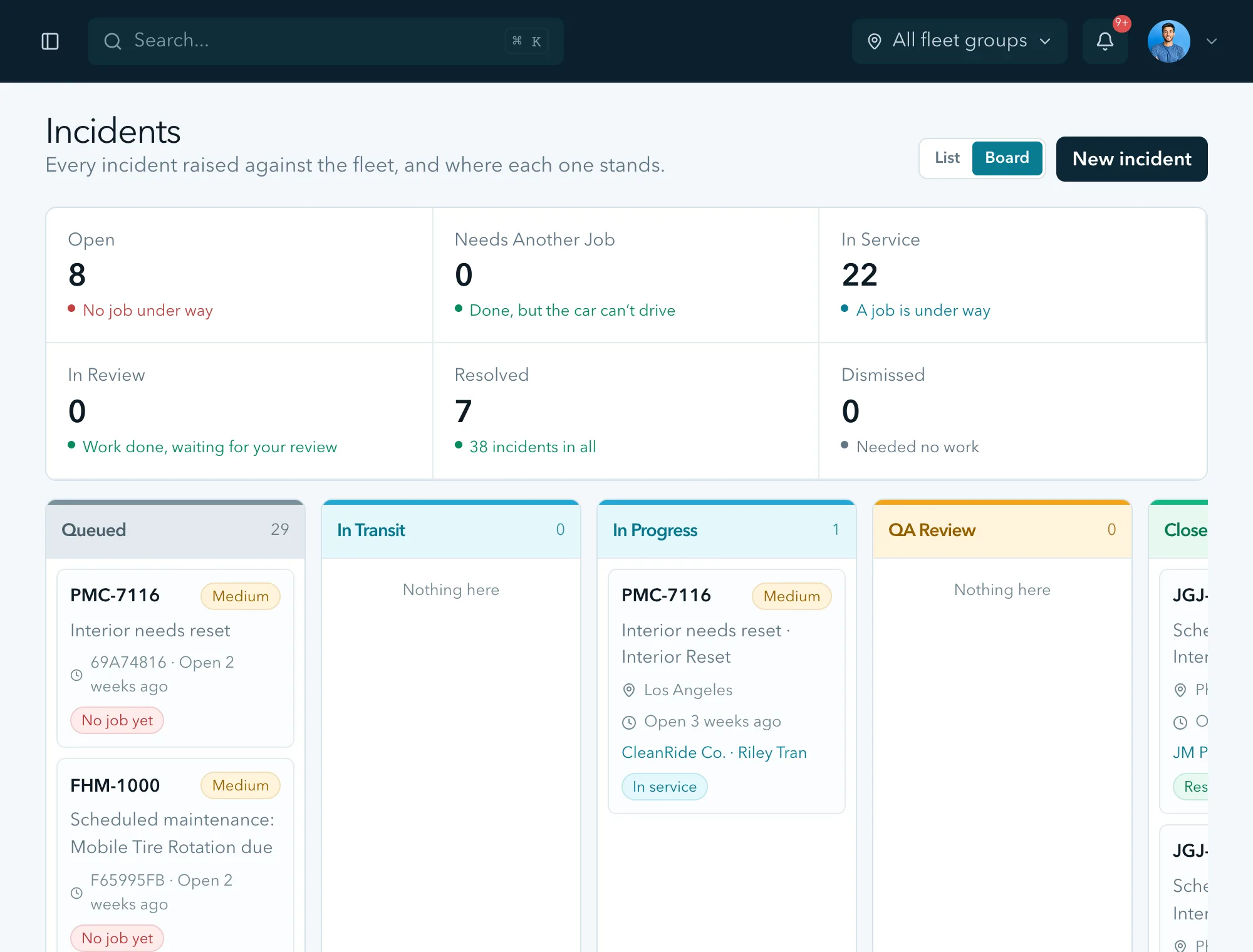
Every job on one board
Every incident moves across the board from queued through transit, work, QA review and closed, with the car, the job and the service provider on its card.
Simulated data. Not a live fleet.
Your service and spending rules
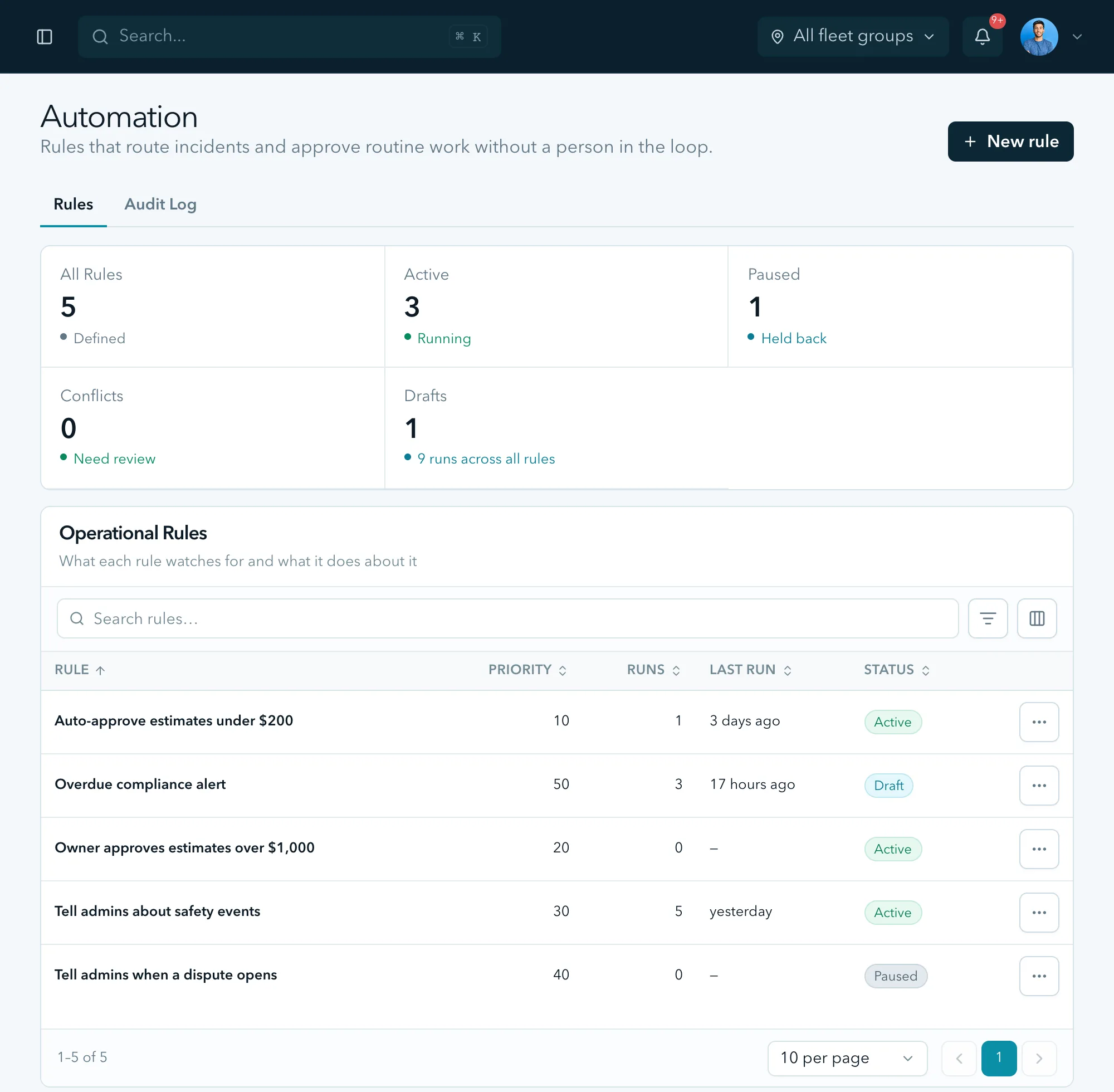
Approve routine work automatically up to an amount you set, require your approval above it and decide who hears about safety events and disputes. Change the rules as your fleet grows.
Simulated data. Not a live fleet.
Keep operating costs and revenue visible
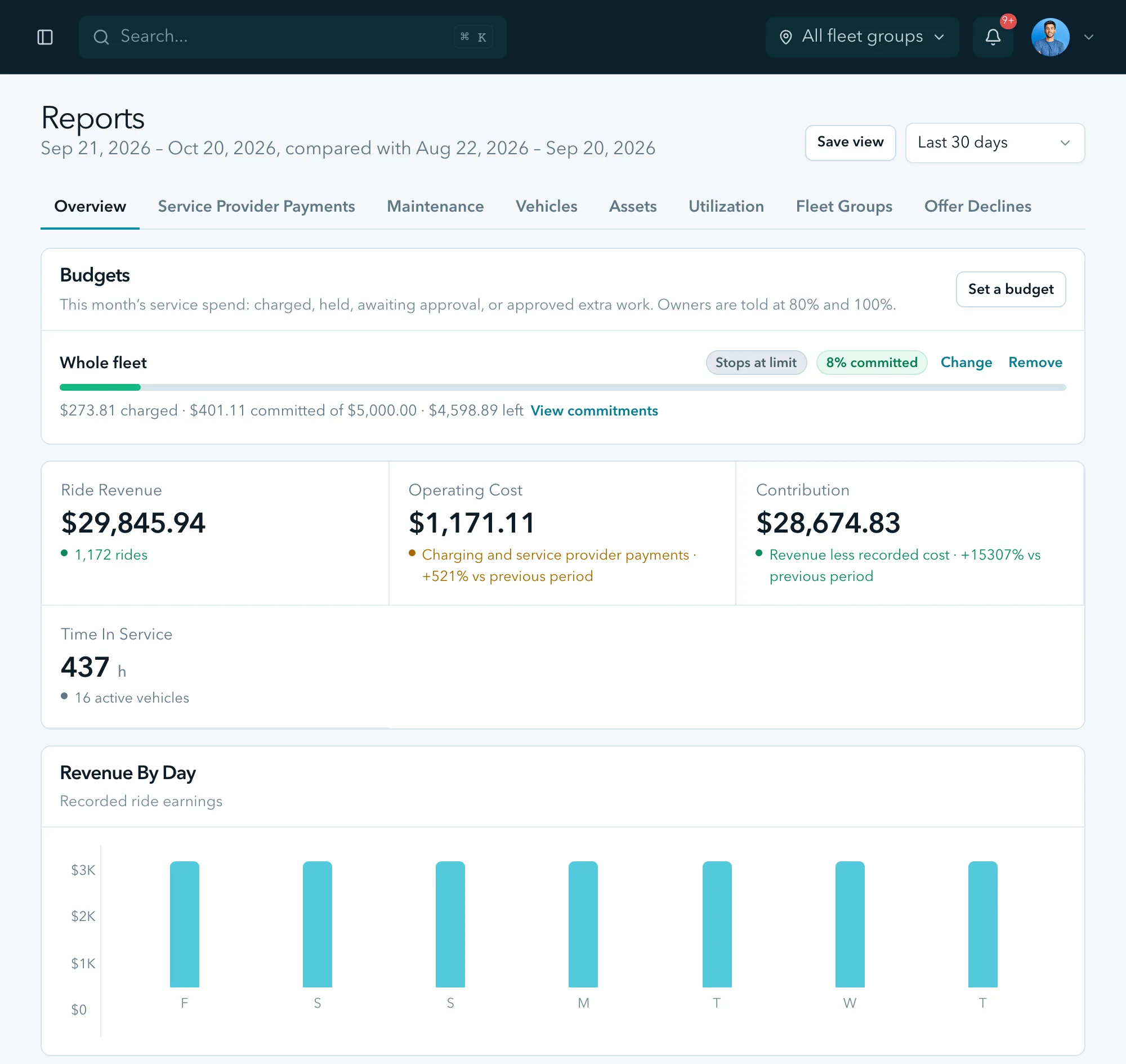
See ride revenue, operating cost and time in service together. A monthly service budget warns you at 80% and 100%, and can hold non-urgent work at the limit.
Simulated data. Not a live fleet.
Your preferred service provider bench
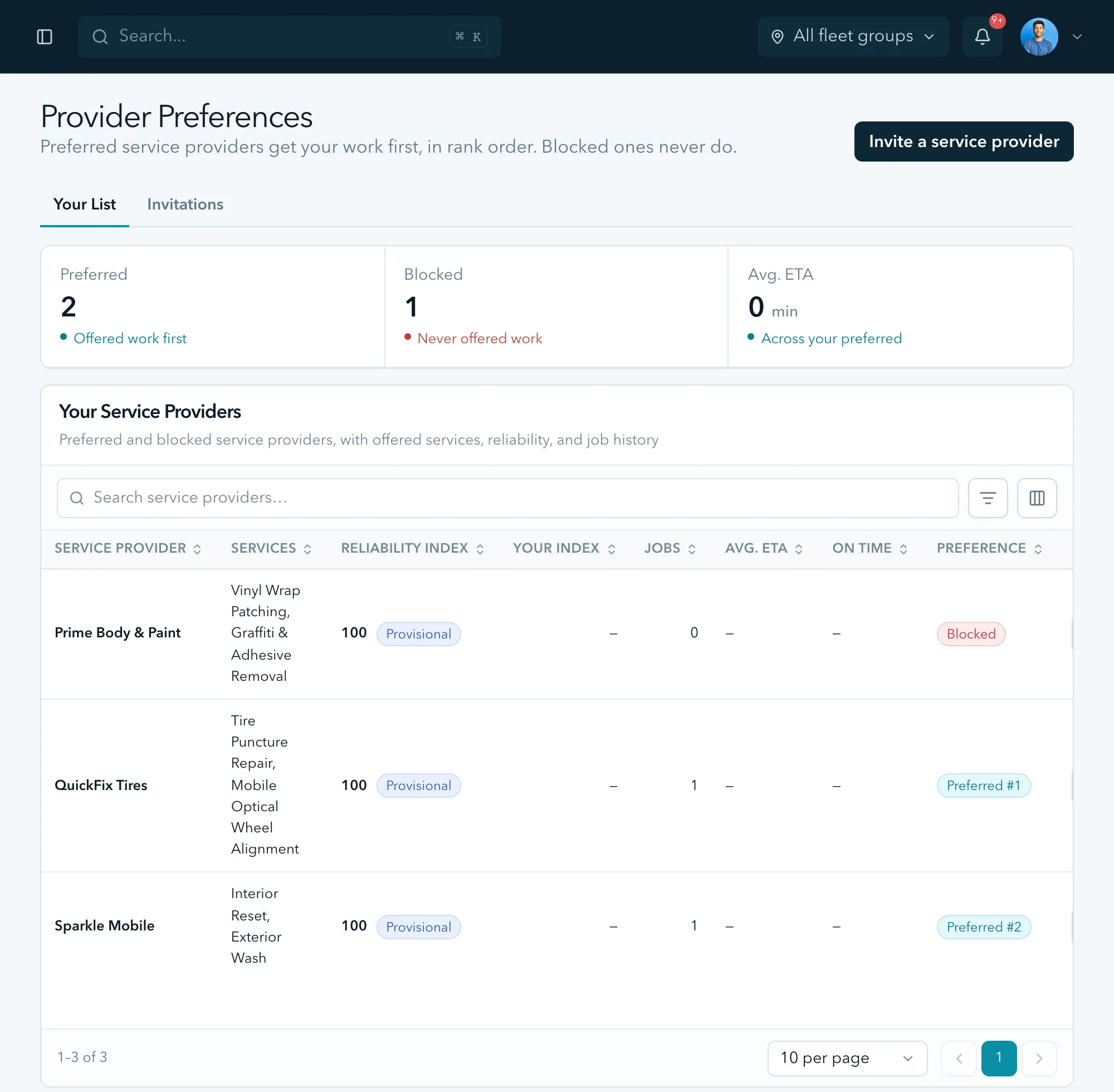
Rank the service providers you prefer, who are offered your work first in that order, and block the ones you do not want working on your vehicles.
Simulated data. Not a live fleet.
The other end of every dispatch
The service provider sees the location, job scope, expected timing and payout before accepting. That means fewer calls and fewer surprises on both sides of the service visit.
Quotes above your ceiling come to you as a push instead, with approve, decline and rebid on the notification.
See the service provider side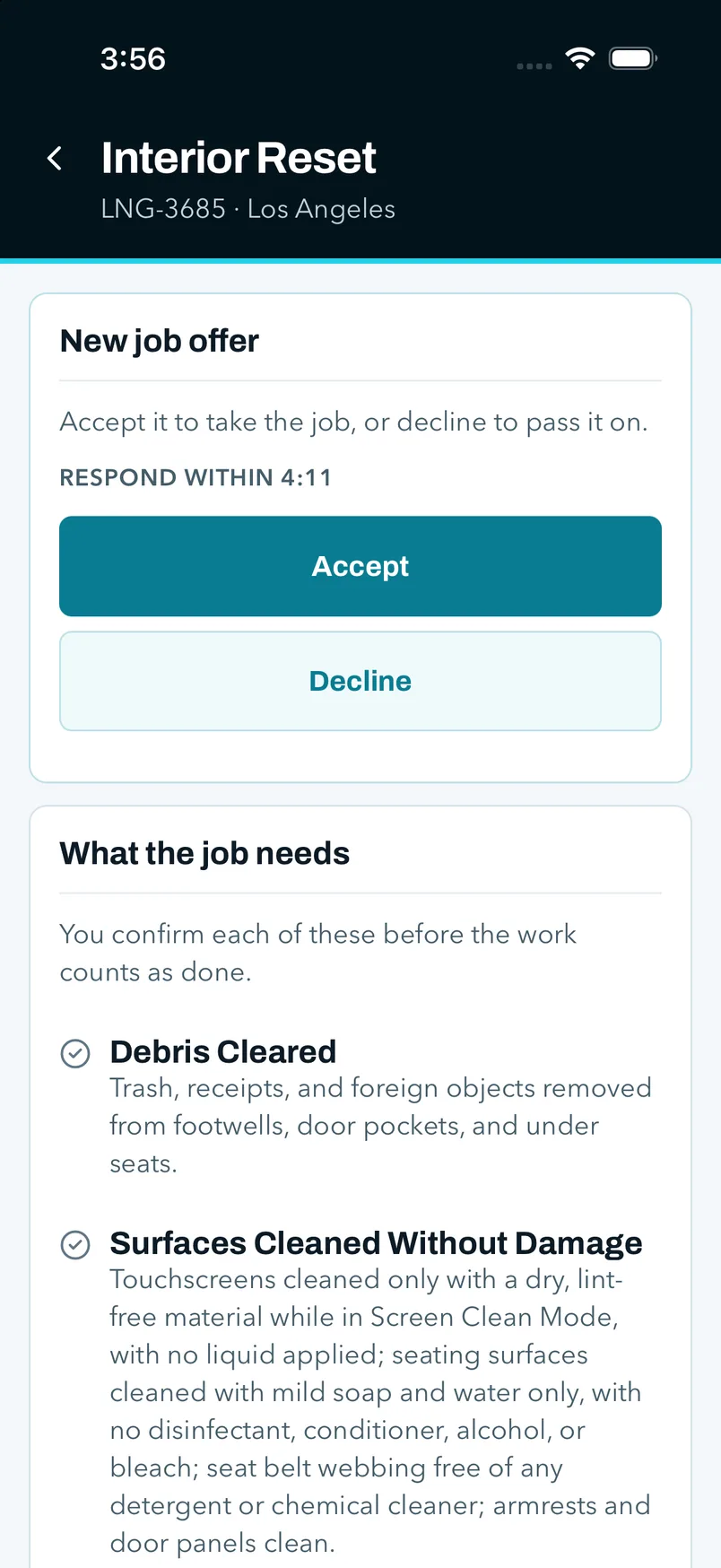
Simulated data. Not a live fleet.
What we watch
What the console watches, and what each signal turns into.
A single view of the operating issues that can cost an owner time, revenue or customer trust. Availability depends on the vehicle and ride-network information provided at launch.
Interior condition
Condition reports and service evidence help you address cabin problems before they become the next rider’s complaint.
Tire pressure and rapid loss
A possible tire issue appears with the vehicle and urgency clearly shown, so routine work can be planned and urgent work handled quickly.
State of charge and location
See which vehicles may need charging attention before low range becomes downtime or a recovery call.
Fault codes
Vehicle alerts stay with the service record and can be routed to the right kind of qualified provider.
Vehicle connection health
If a connected vehicle stops reporting, the console tells you that visibility has been interrupted.
Rider reports
When rider feedback becomes available, it can help owners review the vehicle’s recent service history and decide what needs attention.
“Working in test” means the experience is being exercised in Mersul’s own simulation. It has not yet run on a customer vehicle.
Alerts
What reaches your phone, and what stays on the board.
Urgent issues should interrupt you; routine work should not. You decide which decisions Mersul may handle within your limits and which come back to you.
- Car stranded or unreachable
- You receive an urgent alert with the vehicle, location and next action clearly shown.
- Collision or hard-impact event
- The vehicle is flagged for immediate attention and the incident record is kept for your review.
- Quote above your ceiling
- You receive the estimate and supporting details before deciding whether to approve, decline or request another option.
- Nobody accepted the dispatch
- You are told that coverage is unavailable and shown the choices, rather than discovering the delay later.
- Work needs another look
- The job stays open with the missing or disputed item clearly identified for follow-up.
- Revenue record needs review
- A possible difference stays visible so you can review it rather than losing it inside a total.
Reconciliation
A clearer view of the money your fleet earns and spends.
Vehicle downtime, service costs and ride revenue belong in the same owner view. The console keeps possible differences visible so they can be reviewed.
01
Bring records together
Keep operating and revenue information in one place for the period you are reviewing.
02
Review vehicle activity
See when vehicles were earning, being serviced or unavailable alongside the revenue record.
03
Spot possible differences
Items that may need attention are easy to find instead of disappearing into a fleet-wide total.
04
Keep the owner record
Notes and supporting information remain attached until the issue is resolved.
See the console against your own numbers.
The console runs today in Mersul’s own simulation, not on a customer vehicle. Join the early-access list and we will walk you through it, tell you where your market sits in our launch order, and answer the questions we do not have public answers to yet.